

Hi everyone,
I've been building a theme for my own EspoCRM, and it's now polished enough to share: Lucid, a free, open-source theme for EspoCRM 10.
It's made with WCAG standard in mind (RGAA in France).
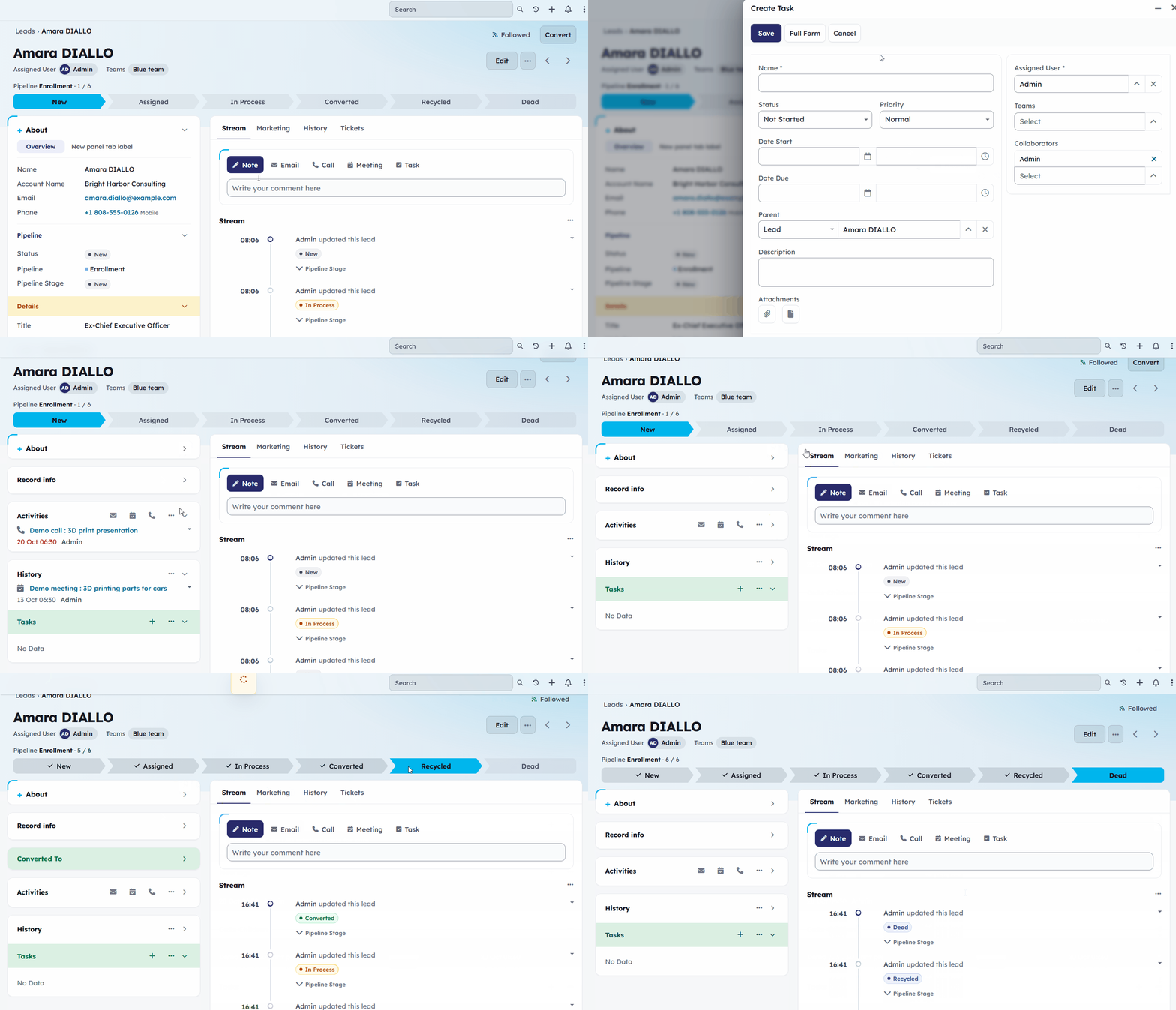
And it's a new layout for EspoCRM, but one that you often see in other modern CRM (Attio, Twenty...)
It moved the bottom panels to the right side of the screen (and many UI tweaks)
So what's different ?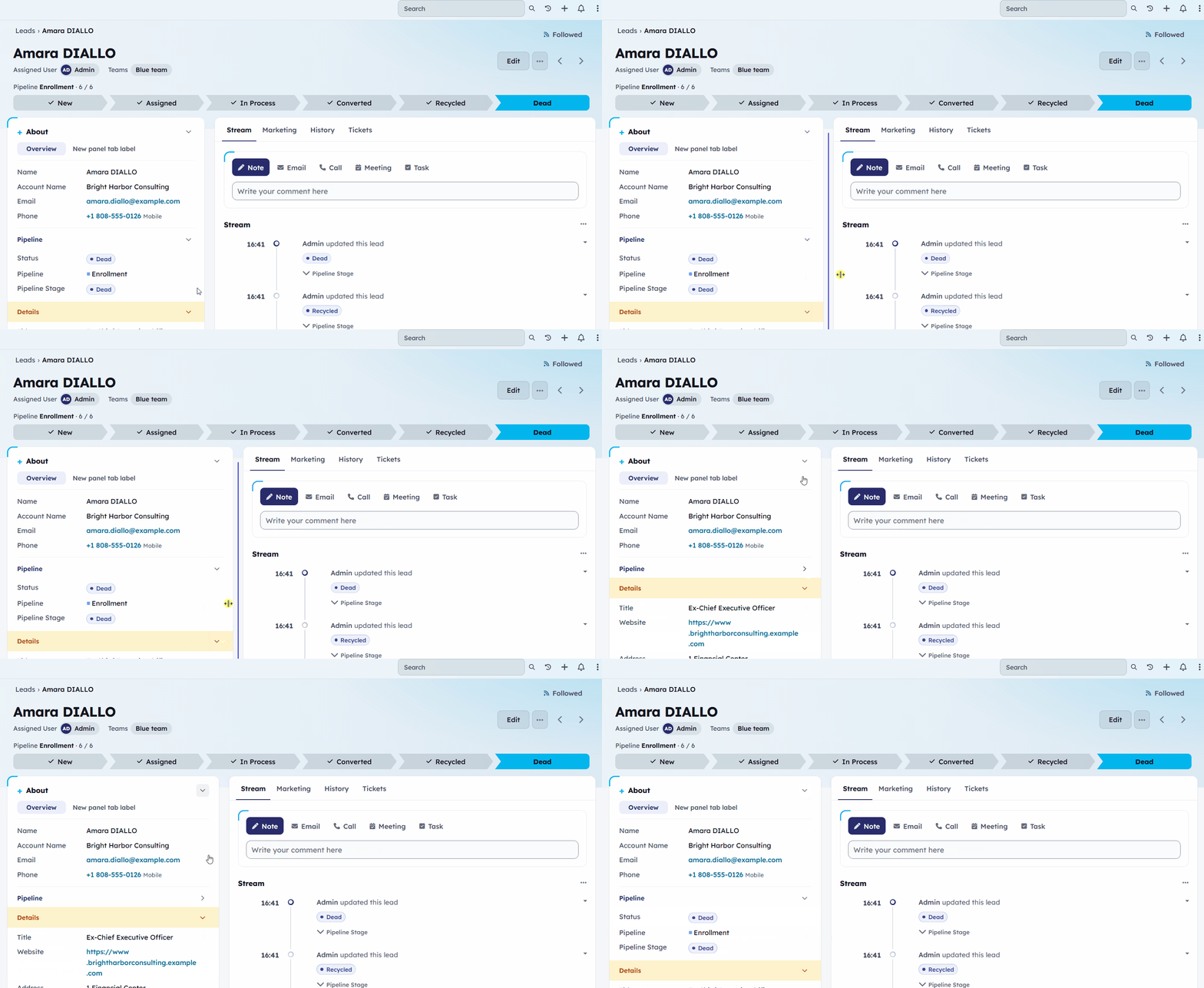
Still good with EspoCRM setup and rules

Download Lucid Theme
Download: latest release on GitHub (lucid-theme-x.y.z.zip)
It's free, and feedback is very welcome : reply here or open an issue on GitHub.
If you give it a try, I'd love to hear how it works with your own layouts!
Alexis
I've been building a theme for my own EspoCRM, and it's now polished enough to share: Lucid, a free, open-source theme for EspoCRM 10.
It's made with WCAG standard in mind (RGAA in France).
And it's a new layout for EspoCRM, but one that you often see in other modern CRM (Attio, Twenty...)
It moved the bottom panels to the right side of the screen (and many UI tweaks)
So what's different ?
- Bottom panels on the right side . Bottom panels move to the main column on the right, as tabs. The Stream comes first, with quick actions (Note, Email, Call, Meeting, Task) right above it, then one tab per relationship panel with its record count. The fields stay on the left in a compact "About" card.
- Pipeline chevrons in the header. For entities with an active EspoCRM 10 pipeline, the stages show as a path at the top of the record. Click a stage to move the record (if you're allowed to edit it). On a phone, the path folds into the current stage and a progress bar. Entities without a pipeline keep a clean header.
- Adjustable columns : Drag the handle between the two columns to make "About" wider or narrower. It also works with the keyboard, a double-click resets it, and each user's width is remembered.
- Collapsible blocks : Every block folds like an accordion: About, Record info, side panels and each layout panel. Fold what you don't need; the state is remembered per user and per entity type.
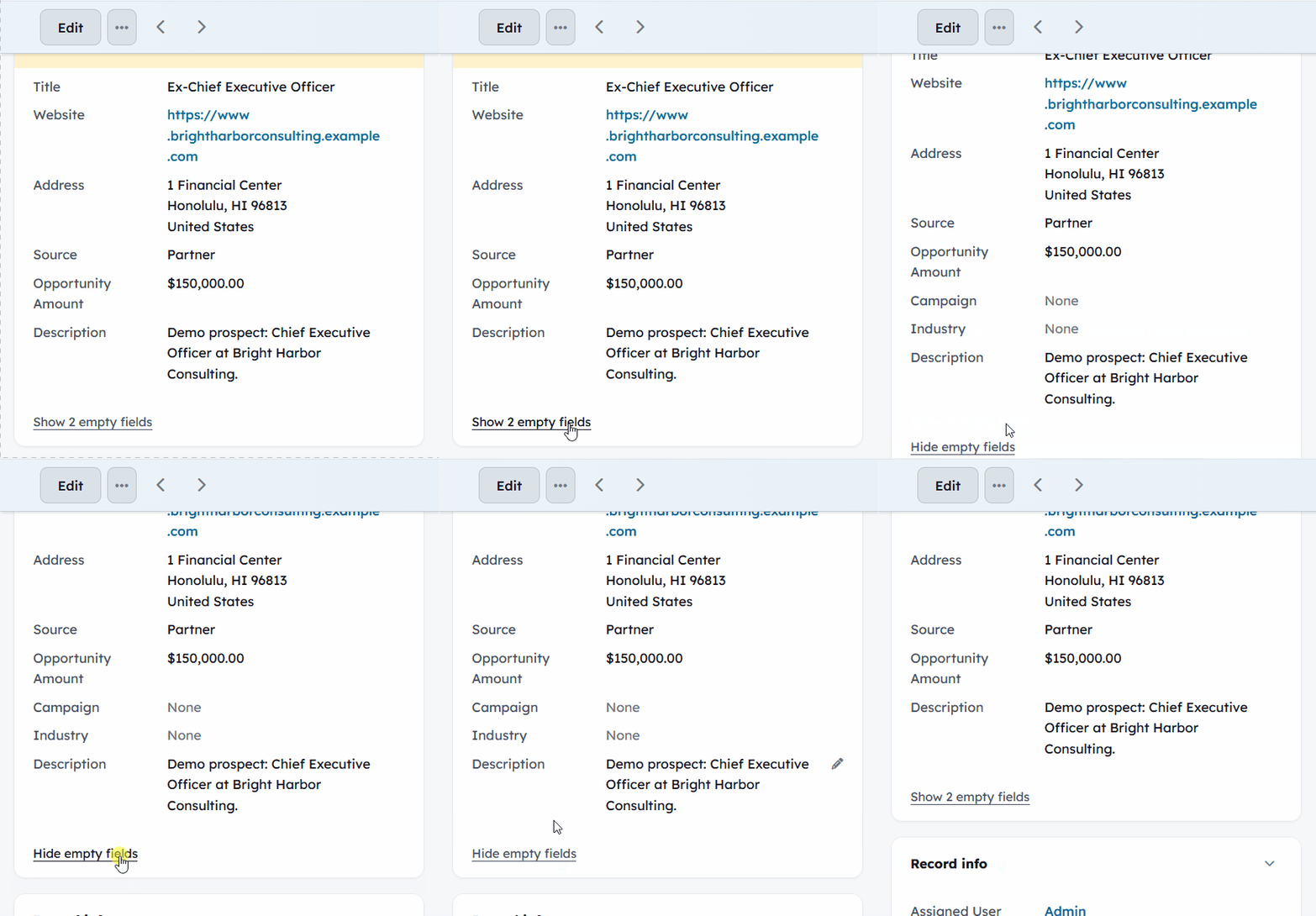
- Empty fields out of the way
 A "Show N empty fields" link keeps the card to what's actually filled in. Everything comes back in edit mode.
Still good with EspoCRM setup and rules
- Your layouts decide: side panels go left, bottom panels go right, exactly as set in the Layout Manager. Panel colours and "Stick to the top" are kept.
- Native create/edit side panels, inline editing and access rights all stay EspoCRM's own.
- Labels come from EspoCRM's translations, and the theme's few own labels exist in all 36 languages EspoCRM ships.
- Accessible: text contrast of at least 4.5:1 (WCAG 2.1 AA), visible keyboard focus, zoom allowed on mobile.
- One typeface (Lexend), bundled with the theme: no calls to Google or any other service.
Download Lucid Theme
Download: latest release on GitHub (lucid-theme-x.y.z.zip)
- Administration > Extensions > Upload the ZIP, then Install.
- Choose Lucid in Administration > User Interface (default for everyone), or per user in Preferences.
It's free, and feedback is very welcome : reply here or open an issue on GitHub.
If you give it a try, I'd love to hear how it works with your own layouts!
Alexis
Attached Files