
To see the Tracking URL in action, you need to create a Сampaign.
- Create new Campaign with a type Email or Newsletter. Select one or a few target lists in Target Lists field.
- After Campaign record is created, create Mass Email for this campaign: click plus on Mass Email panel. Specify Date Start - when emails should be sent, and select Email Template. Make sure Status is set as Pending.
Example:
<a href="{trackingUrl:55f2c87b09a220a78}">Try our demo</a>
More information about Mass Email:

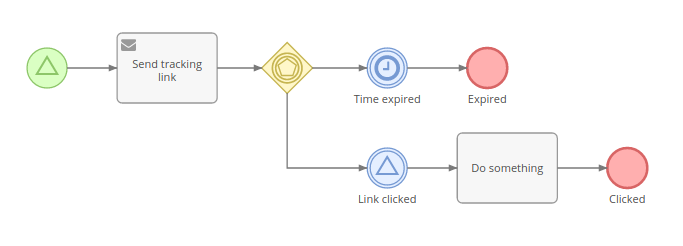
There is also the possibility of using Tracking URLs with BPM:

Leave a comment: