
Hey everyone 👋
Following up on my two earlier threads (links below) — Temply has come a long way, and it's now fully integrated and running inside EspoCRM. Rather than post more screenshots, I recorded a full demo so you can see it end to end:
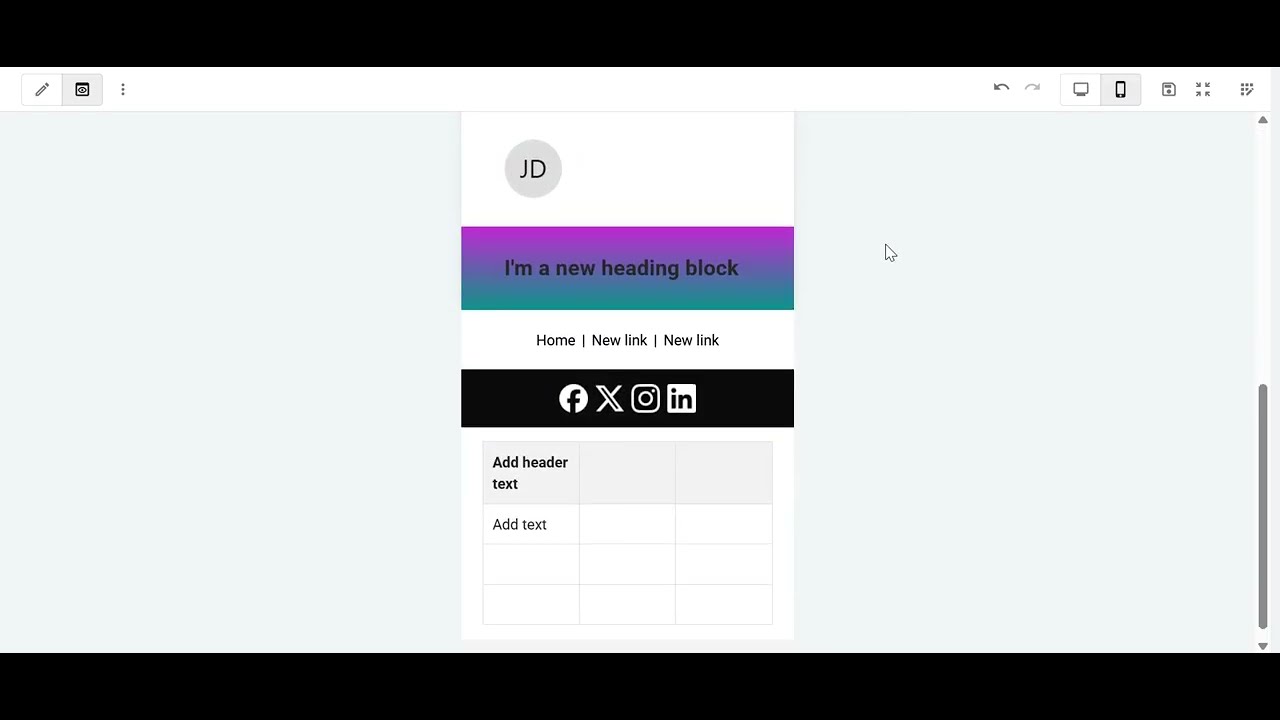
What you'll see in the video:
- A run-through of every content block and the options each one has
- Styling containers, columns, tables, buttons and images
- Switching between desktop and mobile preview
- Fullscreen editing — including saving right from within fullscreen
- Dynamic placeholders: pick an entity, type "{" inside a text block, and choose from that entity's fields to insert
- A look at a few ready-made templates I've already built
A few things I focused on based on the feedback from the last threads:
- Outlook compatibility — this was the #1 concern last time. Temply now handles the classic Outlook (Word engine) quirks properly — borders, hidden blocks, table spacing — on top of Gmail and Apple Mail.
- Device visibility — you can now hide any block on desktop or mobile, so a single template adapts per device.
- Google Fonts — web fonts are supported, with safe fallbacks for clients that don't load them.
- Plus tables with per-cell styling and striped rows, up to 4 responsive columns, gradients and background images, image filters, and Markdown text editing.
I'm lining up demos ahead of release. If you'd like a personal walkthrough, or you're interested in early access / beta testing, just reply here or send me a private message — happy to show you around and hear what would make it genuinely useful for your workflow.
Thanks as always for the feedback so far, it's shaped a lot of this. 🙏
— Rabii
Earlier threads:
1) https://forum.espocrm.com/forum/general/126756
2) https://forum.espocrm.com/forum/general/126858
Following up on my two earlier threads (links below) — Temply has come a long way, and it's now fully integrated and running inside EspoCRM. Rather than post more screenshots, I recorded a full demo so you can see it end to end:
What you'll see in the video:
- A run-through of every content block and the options each one has
- Styling containers, columns, tables, buttons and images
- Switching between desktop and mobile preview
- Fullscreen editing — including saving right from within fullscreen
- Dynamic placeholders: pick an entity, type "{" inside a text block, and choose from that entity's fields to insert
- A look at a few ready-made templates I've already built
A few things I focused on based on the feedback from the last threads:
- Outlook compatibility — this was the #1 concern last time. Temply now handles the classic Outlook (Word engine) quirks properly — borders, hidden blocks, table spacing — on top of Gmail and Apple Mail.
- Device visibility — you can now hide any block on desktop or mobile, so a single template adapts per device.
- Google Fonts — web fonts are supported, with safe fallbacks for clients that don't load them.
- Plus tables with per-cell styling and striped rows, up to 4 responsive columns, gradients and background images, image filters, and Markdown text editing.
I'm lining up demos ahead of release. If you'd like a personal walkthrough, or you're interested in early access / beta testing, just reply here or send me a private message — happy to show you around and hear what would make it genuinely useful for your workflow.
Thanks as always for the feedback so far, it's shaped a lot of this. 🙏
— Rabii
Earlier threads:
1) https://forum.espocrm.com/forum/general/126756
2) https://forum.espocrm.com/forum/general/126858

Comment