
I don't think it even possible with any of the extension either, there might be a few thread lying around using other method that may be of help.
With regard to the automated matching field, this feature will be improved in v6.0 from what I read. For now you will need to re-open a previous Imported logs and re-use that for automated column/field name matching.
-
No, unfortunately, unattended import-export via file is not supported for some reasons.Leave a comment:
-
I am not sure that setting the values of that empty column from outside the crm is the best practice,
Any way you need to write some code for this to be done, I noticed that many people asked for pre-defined imports before, I wonder if some one ended up with a work around for this.Leave a comment:
-
Well, I guess I would need a way to standartise/automate the second part of the import, where you have to choose which field in the system matches with which in the .csv file. The process would be as folllows:
1.Export multiple records from a certain entity with 1 column that is empty for all records
2.The exported excel file would be sent out and the fields (column) that are empty would get filled in
3.The filled in excel file would be sent back
4.The file should be imported back to the system and it should update the field that was filled in manually in the excel file of the previously exported records
It's probably possible to do that manually through the import tool, but as this operation will be happening often, matching all of the fields and setting up the import takes a bit too long.Leave a comment:
-
Hi,
Do you mean by automatically mean schedule ?
If so I think there is such ability for now, but if you ask only for updating existing records then this is the answer:
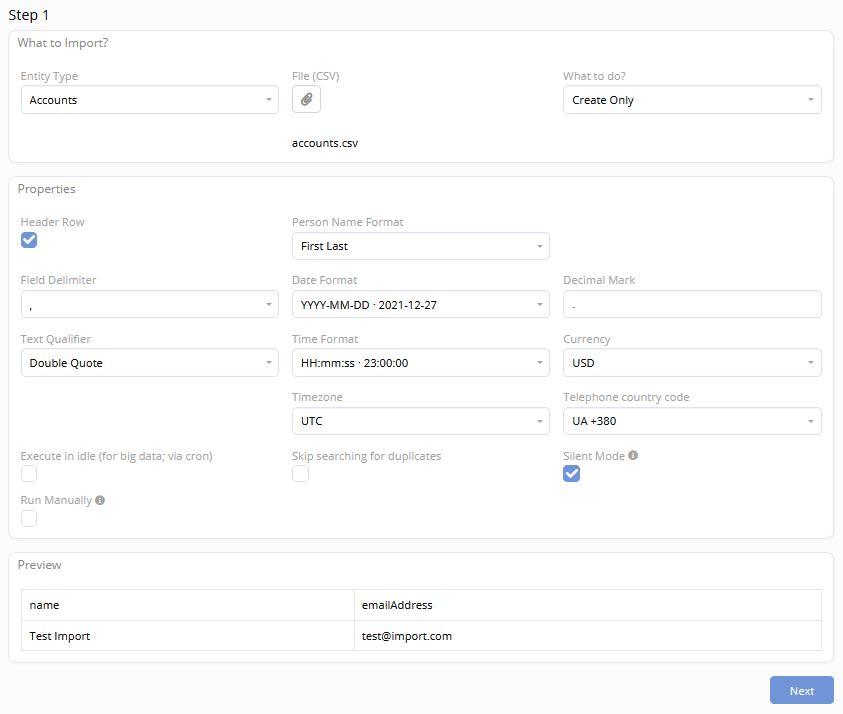
Select the type Update only or Create & Update
In the next step it is very important to check the column that you will depend on it to determine the target recordsLeave a comment:
-
Automatically update records from a csv file
Hi,
I wanted to ask if theres a way to set up an operation, which would update records from a csv file, that was previously exported from espocrm


Leave a comment: